Business Process Automation
We automate the repetitive work in your sales, support and operations with n8n, Make, Zapier or custom code, so your team stops copying data between apps.
15+ apps built for 30+ clients, with Top Rated Plus status on Upwork.
Overview
Business process automation services for small and mid-sized teams
Our business process automation services take the manual steps your team repeats every day and turn them into workflows that run on their own. New leads land in your CRM with the right owner. Support tickets get tagged and routed. Invoices are logged, and new hires are set up in every tool on day one.
We work with the tools you already pay for. Most projects run on n8n, Make or Zapier, and we write custom integrations against REST APIs and webhooks when a no-code platform falls short. Where a step needs judgment, we add AI to classify, extract or draft, with a person reviewing anything that matters.
Enterprise RPA suites are built for large IT departments. Most growing companies need something smaller: a few well-built workflows, clear ownership, and automations that keep running after we hand them over.
Challenges
Problems we solve
Your team is the integration layer
People copy contacts from forms into the CRM, paste order details into spreadsheets and forward emails to whoever should handle them. It is slow, it is dull, and it is where most data errors start.
Leads and requests wait too long
When follow-up depends on someone noticing a notification, replies slip at night, on weekends and in busy weeks. Slow responses cost you deals and frustrate customers who expected an answer.
Old automations break without a sound
Many teams already run a few Zaps or scenarios built by someone who has since moved on. When an app changes its API or a field gets renamed, they fail silently, and nobody knows how they were set up.
Services
What we build
Process audit and automation roadmap
We map how work moves through your team today and rank the steps worth automating by time saved and build effort. You get a clear plan before any build starts.
CRM and sales workflows
We automate lead capture, enrichment, routing and follow-up across HubSpot, Salesforce, Pipedrive and your web forms. Contacts, deals and activities stay in sync without manual entry.
Support and operations automations
We set up ticket triage, booking and order updates, internal approvals and status alerts in Slack or email. Requests reach the right person with the context they need to act.
Custom integrations and APIs
When two systems have no ready connector, we build one in Node.js or Python using webhooks and REST APIs. This also covers internal databases and older tools that no-code platforms cannot reach.
AI steps inside your workflows
We add language model steps that classify messages, pull data out of documents and draft replies or summaries. Each one has checks and a human review path wherever a mistake would be costly.
Monitoring, maintenance and handover
Every automation ships with error alerts, retries, logs and plain-language documentation. We can maintain it for you, or train your team to own it.
Processes we automate, by team
Most teams have a handful of workflows that eat the most hours. We start with those, then expand once the first ones are running reliably.
- Sales and CRM: form-to-CRM lead capture, lead scoring and assignment, follow-up reminders, and handoffs from closed deal to onboarding.
- Customer support: ticket tagging and routing, WhatsApp and email auto-replies, escalation alerts, and satisfaction surveys after a ticket closes.
- Finance and operations: invoice and receipt capture, Stripe payment reconciliation, order and booking status updates, and weekly reports pulled into one sheet.
- Marketing: syncing signups to your email platform, content approval and publishing flows, campaign reporting, and list cleanup.
- HR and onboarding: account setup in Google Workspace and Slack, onboarding checklists, document collection, and access removal when someone leaves.
n8n vs Make vs Zapier vs custom code: how we choose
We pick the platform based on your workflow volume, your data rules and who will maintain it after launch. If you already use one of these tools, we usually build there.
- Zapier: a good fit for simple workflows your team wants to edit themselves. It has the largest app library, but costs rise quickly with task volume.
- Make: suits multi-step logic with branching and data mapping, at a lower cost per operation. Its visual builder is still friendly for non-developers.
- n8n: our usual pick for complex or high-volume workflows. It can be self-hosted, so your data stays on your servers, and it runs custom code when needed.
- Custom code: for strict performance, security or logic needs, or when the workflow is really part of your product. We build it in Node.js or Python with tests.
Where AI fits in an automation
Fixed rules handle most of a workflow. AI earns its place at the steps where a person used to read something and decide what to do with it.
We keep each AI step narrow: one job, a structured output and a fallback. If the model is unsure, the item goes to a person instead of a guess. When a task needs AI that plans and acts across several tools on its own, that is an AI agent, which we cover on our Agentic AI Development page.
- Classification: sorting emails, tickets and leads by intent, urgency or topic.
- Extraction: pulling names, amounts and dates out of invoices, PDFs and free-text forms.
- Drafting: preparing reply drafts, call summaries and CRM notes for a person to approve.
Process
How we work
- 01
Map the workflow
In a free consultation, we walk through your process step by step and give you a realistic estimate.
- 02
Design the automation
We choose the platform and define triggers, data fields, error paths and what success looks like.
- 03
Build and test with real data
We build in short, transparent cycles and test each workflow on real records before it touches live operations.
- 04
Launch with monitoring and handover
We go live with alerts and logs in place, hand over documentation and keep improving the workflow as your process changes.
Technologies
Tech stack
- n8n
- Make
- Zapier
- HubSpot
- Salesforce
- Slack
- Google Workspace
- Airtable
- Stripe
- Twilio
- Webhooks and REST APIs
- OpenAI API
- Node.js
- Python

Trusted by 30+ clients · 15+ apps built








Case studies
Related work
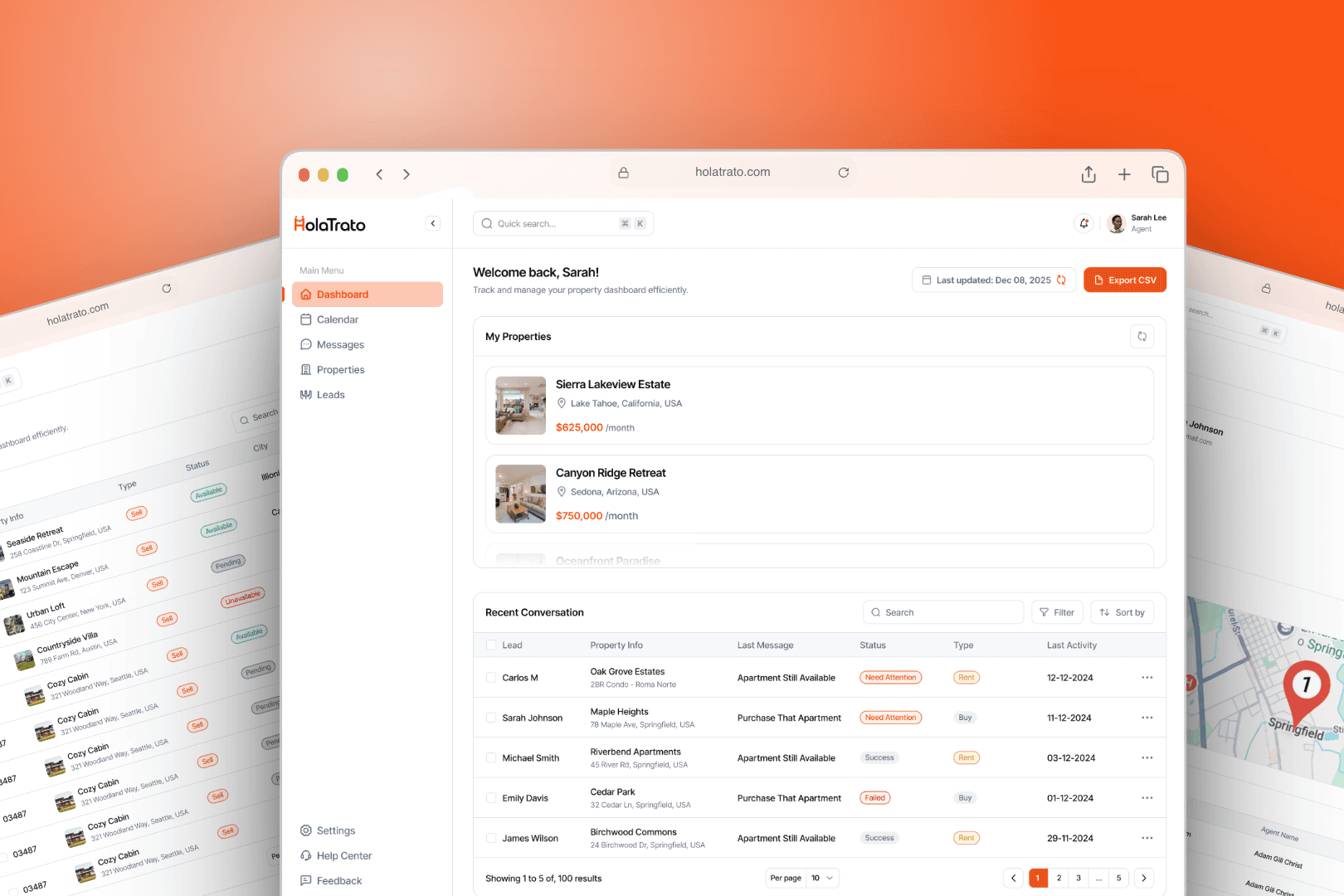
HolaTrato
HolaTrato is a live PropTech platform we built from scratch - an AI-first real estate system where WhatsApp agents handle inbound leads and book appointments automatically. Built with Google ADK AI agents, Meta Business API, Twilio, and full multilingual support. Deployed and live for client use.
Read the case study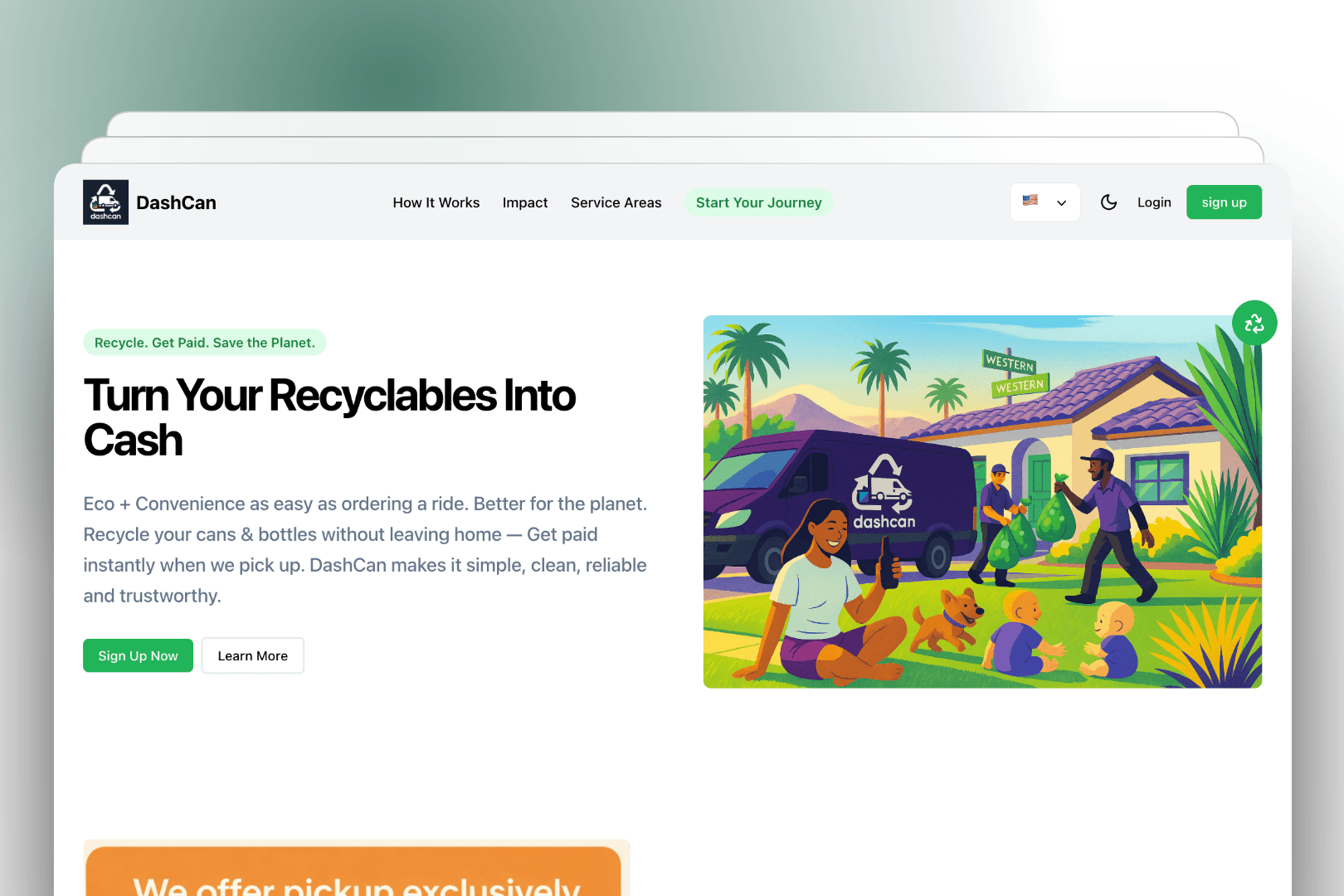
DashCan
A web platform facilitating scheduling and management of recyclable item pickups, connecting users with administrators through an intuitive booking system, service area management, and comprehensive order tracking.
Read the case studyFAQ
Frequently asked questions
Which business processes should we automate first?
Start with tasks that happen often, follow clear rules and touch two or more apps, such as lead routing, data entry between systems or status updates. They are quick to build and the time saved is easy to see. In the free consultation, we help you rank candidates by hours spent, error rate and build effort.
Should we use n8n, Zapier or Make?
It depends on volume, complexity and who will maintain the workflow. Zapier suits simple flows your team wants to edit, Make handles branching logic at a lower cost, and n8n fits complex, high-volume or self-hosted setups. We recommend one after seeing your process, and we are happy to build in the platform you already use.
What do business process automation services cost, and when do they pay back?
Cost depends on the number of steps, apps and edge cases, plus the monthly fees of the platform you run on. After the free consultation, you get a realistic estimate for the build and the expected tool costs. To judge payback, compare the hours the workflow saves each month, multiplied by what that time costs you, against build and running costs; we work through this with you before you commit.
How long does a typical automation take to build?
It depends on scope. A focused workflow between a few well-documented apps is a short project, while processes that span many systems, custom integrations and AI steps take longer. You get a timeline with your estimate, and we work in short cycles so you see working pieces early.
Can you work with our existing CRM, helpdesk and other tools?
Yes. We build on the tools you already use, such as HubSpot, Salesforce, Pipedrive, Zendesk, Google Workspace, Slack and Airtable. If an app offers an API or webhooks, we can usually connect it, and if no ready connector exists, we write a custom one.
What happens when one of our apps changes its API?
Automations need some upkeep because the apps they connect keep changing. We build in error alerts, retries and logs, so a failure is caught the same day instead of weeks later. We can maintain your workflows on an ongoing basis, or document them well enough for your team to fix them.
What is the difference between BPA, RPA and AI agents?
Business process automation connects your apps through APIs and runs workflows on defined rules. RPA uses software bots that click through screens, which suits legacy systems without APIs. AI agents decide their own next steps toward a goal; we build those under Agentic AI Development, though many workflows are better served by plain automation with one small AI step.
How do you keep our data secure?
We use least-privilege access, keep credentials in the platform's encrypted credential store or your secrets manager, and move only the fields a workflow needs. For sensitive data, we can self-host n8n on your own infrastructure so records do not pass through a third-party automation service.
Explore more
Related services
Agentic AI Development
We build AI agents and multi-agent systems that plan, call your tools and APIs through MCP and function calling, and hand off to people when they should.
Learn more about Agentic AI Development
Custom Software Development
We build custom platforms, internal tools and integrations, and take over existing codebases, with a full-stack team that covers design, backend, frontend and launch.
Learn more about Custom Software DevelopmentContact
Tell us which task you want off your plate
Book a free call and walk us through one process your team repeats every week. We will tell you whether it is worth automating, which tool fits and what it will take.