Mobile App Development
We build cross-platform iOS and Android apps with Flutter, React Native and Expo, and take them from the first screen to App Store and Google Play release.
15+ apps built for 30+ clients. Top Rated Plus on Upwork.
Overview
A mobile app development company for iOS and Android from one codebase
Outstep is a mobile app development company that builds cross-platform apps for iOS and Android. We write one codebase in Flutter or React Native with Expo, so both platforms ship together and stay in sync. When a feature needs platform-specific code, we write that part natively in Swift or Kotlin.
We cover the whole app, not just the screens: UX and UI design, the backend and APIs behind it, sign-in, push notifications, offline support, in-app purchases and subscriptions, and the release to both stores.
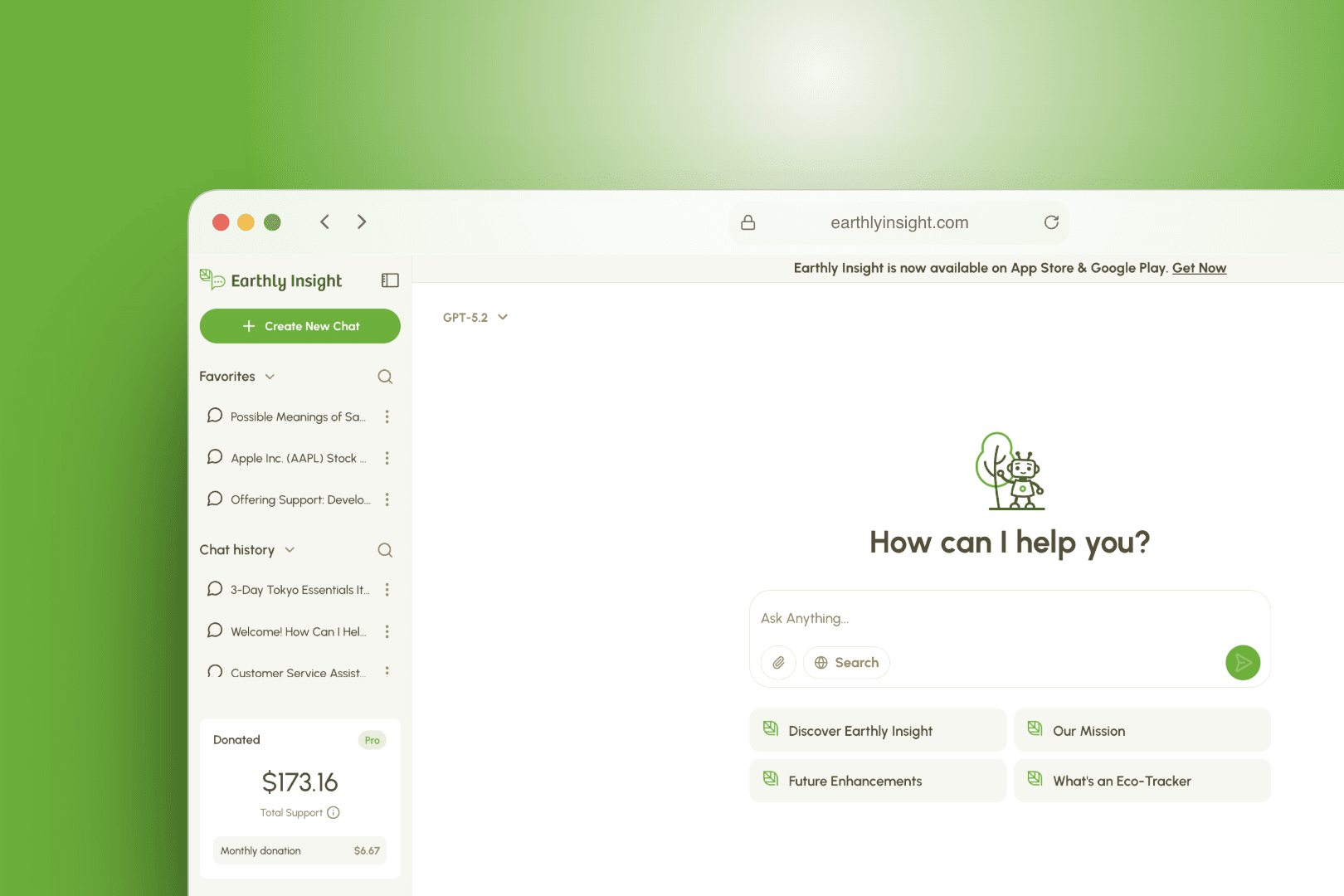
After launch, we stay on to watch crash reports and analytics, ship updates and keep the app current as Apple and Google change their rules. For Earthly Insight, we built the iOS, Android and web apps that grew to 6,500+ users in 12 months.
Challenges
Problems we solve
Two platforms, twice the cost
Separate iOS and Android apps mean two codebases, two sets of bugs and features that drift apart over time. Most budgets do not survive that for long.
Finished apps stuck in review
A rejection over privacy details, payment rules or sign-in options can hold a finished app back for weeks. Many teams only learn the store rules after they submit.
Apps that decay after launch
New OS versions, crashes on untested devices and slow fixes push people to uninstall. Without someone owning maintenance, a good app gets worse every month.
Services
What we build
Cross-platform iOS and Android apps
We build one app in Flutter or React Native with Expo that runs on both platforms. You get a single codebase, matching features and one release schedule.
Native modules and device features
When an app needs Bluetooth, background tasks, health data or an SDK with no cross-platform wrapper, we write that piece in Swift or Kotlin. The rest of the app stays shared.
App UX and UI design
We design flows for one-handed use and small screens, following Apple and Google patterns where people expect them. You review a clickable prototype before we write production code.
Backend and APIs for your app
We build the APIs, database, authentication and admin tools your app depends on, using Node.js, Firebase or Supabase. We can also connect the app to an API you already run.
Payments, push and offline support
We set up in-app purchases and subscriptions that follow each store's payment rules, plus push notifications and local storage that syncs when a connection returns. These are the features that bring people back and keep revenue flowing.
Store release and maintenance
We prepare store listings, submit builds and respond to reviewer feedback on both stores. After launch, we monitor crashes, ship fixes and keep the app working on new OS versions.
Cross-platform vs native: how we decide
Most apps are a good fit for cross-platform development. Business tools, marketplaces, booking apps, AI assistants and content apps share nearly all their logic and screens across iOS and Android, so one codebase saves time and money without users noticing a difference.
Native code earns its place for specific parts, such as heavy graphics, deep hardware access or a new platform feature that cross-platform tools do not support yet. In those cases we usually keep the app cross-platform and add a native module, instead of building two full apps.
Between Flutter and React Native, the choice depends on your product and your team. Flutter gives close control over every pixel and renders the same way on both platforms. React Native with Expo suits teams that already work in TypeScript and React, and Expo makes builds and over-the-air updates simpler. Before we recommend one, we look at:
- Which device features and third-party SDKs the app needs
- Whether you have a web app or in-house team whose code and skills we can reuse
- Performance needs for animation, video, maps or long lists
- Your budget and how soon both platforms need to launch
From build to App Store and Google Play
Shipping to the stores is its own piece of work. Apple reviews every iOS build, and Google Play has its own policies and testing requirements, so we plan for both from the first week, not the last.
Before release, your testers use real builds through TestFlight and Google Play testing tracks. We fix what they find, then submit with listings, screenshots and privacy details ready. Our release checklist covers:
- Developer accounts, signing keys and app IDs set up under your company, so you own the listings
- Privacy labels and data safety forms that match what the app actually collects
- In-app purchase and subscription products configured in App Store Connect and Google Play Console
- Staged rollouts, so a new version reaches a small share of users first
- Answers to reviewer questions and quick fixes if a build is rejected
What it takes to keep an app healthy after launch
An app needs steady care once people rely on it. Apple and Google release new OS versions every year, libraries go out of date, and real devices surface bugs that no test caught.
We set up crash reporting and analytics before launch, so we see problems and usage patterns from day one. Small fixes can ship as over-the-air updates through Expo or Shorebird and reach users without a new store review. Changes to native code or app permissions go through the normal release cycle.
On Earthly Insight, Shorebird updates let us push hotfixes without waiting on store review. We also kept the mobile and web backends separate, so a mobile release could not cause downtime on the web app.
Process
How we work
- 01
Free consultation and realistic estimate
We talk through your users, must-have features and target launch date. You get a scoped plan, a recommendation on Flutter or React Native, and an estimate you can budget against.
- 02
UX and UI design
We map the key flows, design the screens and share a clickable prototype. You see how the app feels on a phone before development starts.
- 03
Short, transparent build cycles
We build in short cycles and send test builds straight to your phone. You see progress every cycle and can change priorities as you learn.
- 04
Launch support and ongoing optimization
We handle store submission and review, then watch crashes and usage after release. From there we ship fixes and new features on a schedule that suits you.
Technologies
Tech stack
- Flutter
- Dart
- React Native
- Expo
- TypeScript
- Swift
- Kotlin
- Node.js
- Firebase
- Supabase
- Stripe
- Shorebird
- App Store Connect
- Google Play Console

Trusted by 30+ clients · 15+ apps built









FAQ
Frequently asked questions
How much does it cost to build a mobile app?
Cost depends mostly on scope: the number of screens and user roles, the backend, payments, integrations and any native features. Building cross-platform costs less than two separate native apps because most of the code is shared. After a free consultation, we give you a realistic estimate tied to a clear feature list.
How long does it take to build an app?
A focused first version usually takes a few months, including design, testing and store review. Apps with complex backends, many integrations or strict compliance needs take longer. If you want to test an idea with a smaller first release, see our MVP development service.
Should I choose native or cross-platform, and Flutter or React Native?
For most apps, cross-platform is the better choice because one codebase covers iOS and Android at a lower cost. Flutter suits apps that need tight visual control and consistent rendering, while React Native with Expo suits teams already using TypeScript and React. We add native Swift or Kotlin code only where a feature needs it.
Can you build for iOS and Android at the same time?
Yes. With Flutter or React Native, one codebase produces both apps, so they launch together with the same features. We test on both platforms throughout the build, not just before release.
Do you handle App Store and Google Play submission?
Yes. We set up signing, prepare listings and privacy forms, submit the builds and handle any reviewer feedback. The apps are published under your own developer accounts, so you keep full ownership.
How do updates and maintenance work after launch?
We monitor crash reports and analytics, fix issues and keep the app compatible with new iOS and Android versions. Small fixes can go out as over-the-air updates with Expo or Shorebird, while larger changes ship as store releases. You can keep us on for ongoing work or call us in when you need a release.
Can you add features to or take over an existing app?
Yes. We start by reviewing the code, dependencies and build setup, then tell you what is safe to build on and what needs fixing first. After that, we can add features, fix stability issues or take over releases and maintenance entirely.
How do I choose a mobile app development company?
Look for apps that are live in the stores, and ask who will handle release, review and maintenance. A good partner explains trade-offs like cross-platform vs native in plain terms and ties estimates to a feature list. Make sure you will own the code, the developer accounts and the store listings.
Explore more
Related services
MVP Development
We help founders cut scope to what matters, build a production-ready MVP quickly, and get it in front of real users, including rescuing MVPs built with AI tools.
Learn more about MVP Development
Web App Development
We build web applications, SaaS products, customer portals and dashboards with Next.js, React, Node.js and PostgreSQL, designed to be fast, secure and easy to grow.
Learn more about Web App DevelopmentContact
Plan your iOS and Android app with us
Tell us what your app needs to do and who it is for. In a free call, we will suggest the right stack, outline the first release and give you a realistic estimate.